Design · 8 min read
Open Graph image examples, and why they work
Eight annotated Open Graph image examples for blog posts, launches, changelogs, podcasts, and product pages. Open any example and edit it for free.
Updated
The short answer
The strongest Open Graph images share four traits: one idea, a headline readable at 300 pixels wide, a brand mark inside the safe area, and enough contrast to survive a feed. The layouts below show those traits in different jobs: a blog post, a product launch, a changelog, a podcast episode, a documentation page, and a home page.
- Examples
- 8 live, editable cards
- Canvas
- 1200 x 630 px
- Common thread
- One idea per card
- Safe area
- 64 px inset
- Thumbnail test
- Readable at 300 px
- Cost
- Free, no account
An example is only useful if you can see what it is doing. Each card below is rendered live, not screenshotted, and each one is annotated with the decision that makes it work. Open any of them to change the words, the type, and the background.
The cards are not here to be copied exactly. They are here to show the range of compositions that survive a feed: centred type, a split layout, a product shot, a data block, and an editorial poster. Pick the structure that matches the job, then make the words yours.
1. The blog post card
Rhea Kapoor
This layout works because it separates the metadata from the idea. The small category label answers "what kind of thing is this?" before the headline answers "why should I click?". The image is a supporting actor, not the subject. If you publish technical writing, the category can be the stack (Next.js, Postgres, CSS) and the headline can be the specific claim.
The failure mode is a headline that restates the category. "Engineering blog" says nothing. "Why our build got 40 percent faster" says enough to earn the click.
2. The product launch card
ogimg.in
- Addedmap CSV columns onto template fields
- Improvedtemplate gallery renders at 2x
A launch card has to do two jobs: name the thing and show that it exists. A screenshot is the cheapest credibility signal you have. Keep the headline to the outcome, not the feature list, and let the screenshot carry the detail. If the product is visual, this is the layout to use.
One caution: screenshots are usually dense. Crop to the part that proves the claim, and make sure it is still readable at thumbnail size. A full app window with 11 px text becomes visual noise.
3. The changelog card
ogimg.in
- Addedbulk generation from CSV and JSON input
- Improvedtemplate gallery renders at 2x
- Fixedcrop warning when the canvas ratio does not match
Changelog cards are a series, so consistency matters more than novelty. The version number is the recognizable element; keep it in the same place every time. The summary should be one sentence a customer would understand, not the internal commit message. If the release has a visual change, show the before and after rather than a generic gradient.
4. The podcast episode card
The Off Hours
with Priya Raman, staff designer
For an episode, the headline is usually the question or the guest, not the show name. The show name is already in the domain line and in the artwork. Keep the guest name visible but secondary. If the cover art is detailed, place it rather than stretching it; a cropped face is worse than a smaller, complete one.
5. The product showcase card
ogimg.in
Open Graph, X, LinkedIn, Product Hunt, and YouTube from one editor.
The split layout is a workhorse. The left column carries the mark and the claim; the right column carries the proof. It works for home pages, feature pages, and app store links because the eye gets a clear order: brand, claim, product. The risk is a screenshot that is too wide for the column. Crop to the part that matters.
6. The editorial card
ogimg.in
Read the announcement
A type-only card is the hardest to get right and the easiest to recognize. It relies on a strong headline, a confident typeface, and a deliberate amount of empty space. Use it for essays, documentation, and opinionated posts where the idea is the draw. Do not use it for a product launch; there is nothing to look at.
7. The benefits card
ogimg.in
Set the copy once, then switch the background when the announcement lands.
Ten templates, each with its own controls
Fonts embedded in the exported file
Nothing is uploaded to a server
Lists work when the value is genuinely a set of outcomes, not a set of features. Keep each line short, start with a verb or a number, and use no more than three. The moment the list needs a fourth line, the card is doing too much. At thumbnail size, the list becomes texture; the headline still has to carry the meaning.
8. The metrics card
ogimg cardsA single number is a strong hook when it is specific and sourced. "40 percent faster" is better than "blazing fast". Put the number in the largest type, the label underneath, and the source in the description. If you need a second number to make the first one meaningful, the card probably needs a different idea.
The patterns behind all eight
| Pattern | Why it works | Where it fails |
|---|---|---|
| One idea per card | The eye finds the point before it finds the exit | A card that summarizes a whole article |
| Type at 72-96 px | Readable at 300 px wide | Body copy or a 30 px subhead |
| 64 px safe area | Survives a 2:1 or square crop | Corner logos and edge text |
| High contrast | Stable at small sizes and on bad screens | Grey type on a mid-tone gradient |
| A brand mark in the same place | Recognition across a series | A different logo position on every card |
| A versioned filename | The cache refreshes when the design changes | Overwriting card.png |
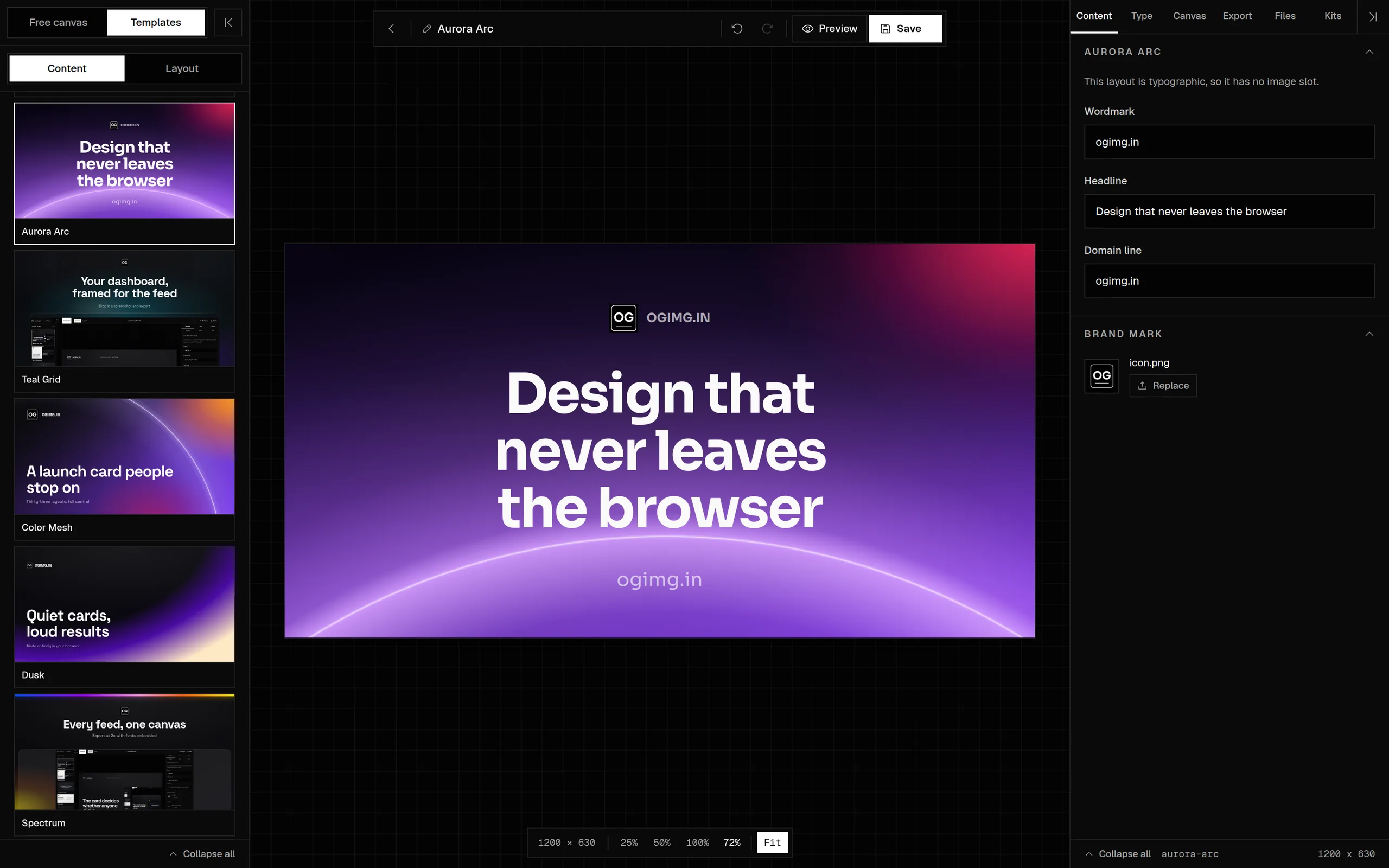
Every card on this page is available in the template gallery. Open one, replace the copy, and export a 1200 x 630 PNG, JPEG, or WebP. If you want to start from a blank canvas instead, the free canvas gives you the same size presets and layer controls.
Frequently asked questions
What makes a good Open Graph image?
One idea, a six-to-ten-word headline, high contrast, a brand mark inside the safe area, and a composition that still reads at 300 pixels wide. The image should sell the link, not summarize the page.
Can I use these examples for my own site?
Yes. Every card is a template in the gallery. Open one, replace the headline and logo, and export it. The templates are free and do not add a watermark.
Should an OG image include a screenshot?
Use a screenshot when the product is visual and the screenshot proves the claim. Crop to the part that matters and make sure it is still readable at thumbnail size. For text-led posts, a type-only card is often stronger.
How many words should be on an OG image?
Six to ten words for the headline, plus a short label or wordmark. Anything longer competes with the headline and disappears in a feed.
Do I need a different image for each platform?
Usually not. A 1200 x 630 card works across Facebook, LinkedIn, X, Slack, Discord, and messaging apps. Make separate square or vertical assets only for platforms that use those shapes natively, such as Pinterest or Instagram.
Can I use a photo as an OG image background?
Yes, if the type stays readable. Add a scrim or place the type in a solid panel. Avoid white type directly over a bright photo, even if it looks fine in the editor.
What is the best OG image layout?
The one that matches the job. A blog post benefits from a category label and a headline; a launch benefits from a product shot; a changelog benefits from a version number and a date. Start with the idea, then choose the composition.
Sources and further reading
Written and maintained by GxAditya
The person who builds ogimg.in. Last updated . 8 min read.
Free, no account
Make the image, then copy the tags
Start from a template or a blank canvas. Export a 1200 x 630 PNG, JPEG, or WebP, and copy the Open Graph tags from the preview panel.